
Bare Metal Servers vs. Hypervisors: How They Work Together

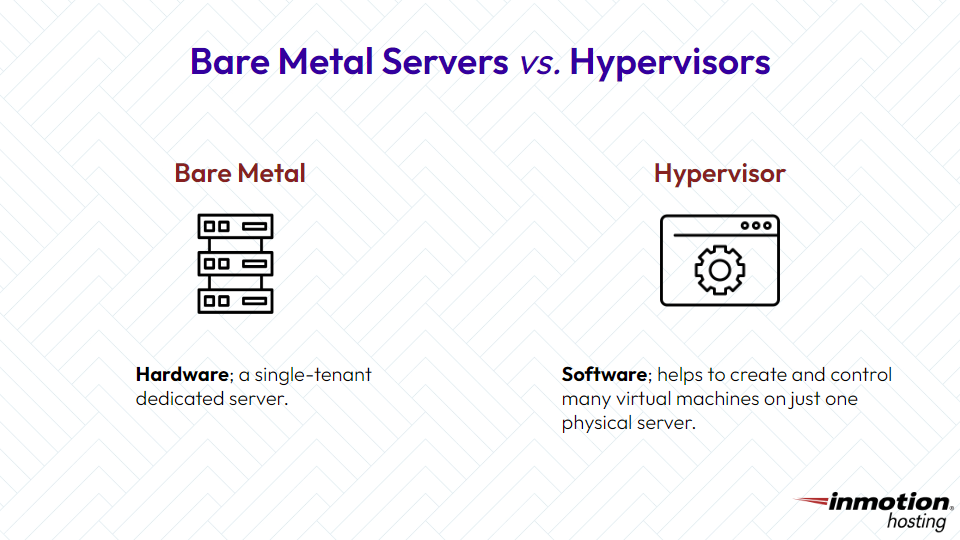
Bare metal servers and hypervisors are not competing technologies. A bare metal server is physical hardware; a hypervisor is software that creates virtual machines on that hardware. Understanding this distinction helps you decide whether to run workloads directly on dedicated hardware or add a virtualization layer.
This article explains what bare metal servers and hypervisors are, how they differ, and how the two can work together to build flexible, high-performance infrastructure.
A bare metal server is a physical machine dedicated entirely to a single tenant. The operating system communicates directly with the hardware components, including CPU, RAM, storage, and network interfaces, without any intervening virtualization layer.
The term “bare metal” refers to the direct relationship between software and hardware. When you install an operating system like Ubuntu, AlmaLinux, or Windows Server directly on a physical server, you’re running on bare metal.
Bare metal servers excel in scenarios requiring:
- Raw Performance: No hypervisor overhead means applications access 100% of available CPU cycles and memory bandwidth
- Predictable Latency: Direct hardware access eliminates the variable latency introduced by virtualization layers
- Hardware-Level Customization: Full control over BIOS settings, firmware, RAID configurations, and kernel parameters
- Compliance Requirements: Single-tenancy provides physical isolation for workloads subject to regulatory mandates
For resource-intensive applications like databases, real-time analytics, high-frequency trading systems, and machine learning training, bare metal servers deliver the consistent performance these workloads demand.
Hypervisors: A Software Layer
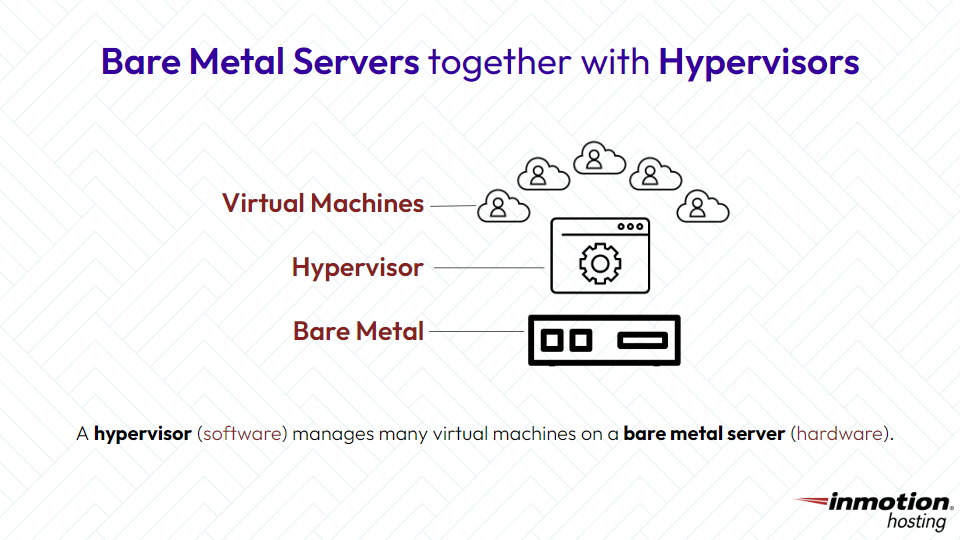
A hypervisor is software that creates and manages virtual machines (VMs) by abstracting physical hardware into multiple isolated environments. Each VM operates as if it were running on dedicated hardware, complete with its own operating system and applications.
Hypervisors divide physical resources, including CPU cores, RAM, and storage, among multiple VMs running simultaneously on the same server. This resource sharing enables organizations to run diverse workloads on fewer physical machines.
Type 1 Hypervisors (Bare Metal Hypervisors)
Type 1 hypervisors install directly on physical hardware without requiring a host operating system. They function as a thin software layer between the hardware and the guest operating systems running in each VM.
On the other hand, hypervisors aren’t physical things; they are software layers that create a separation between hardware components and the operating system. This separation makes it possible to create and manage multiple virtual machines, each running its own operating system.
Common Type 1 hypervisors include:
- VMware ESXi: Enterprise-standard hypervisor with extensive management capabilities through vSphere. Following Broadcom’s 2023 acquisition of VMware, licensing has shifted to subscription-based models, and the free ESXi tier has been discontinued.
- Proxmox VE: Open-source platform combining KVM virtualization with LXC containers. Proxmox has gained significant adoption since 2024, particularly among organizations seeking alternatives to VMware’s new licensing structure.
- Microsoft Hyper-V: Integrated with Windows Server environments and Azure hybrid cloud deployments
- KVM (Kernel-based Virtual Machine): Linux kernel module that transforms supported Linux distributions into Type 1 hypervisors
Type 1 hypervisors deliver near-native performance because they access hardware directly rather than through an intermediary operating system.
Type 2 Hypervisors (Hosted Hypervisors)
Type 2 hypervisors run as applications on top of a conventional operating system. The host OS manages hardware access, and the hypervisor creates VMs within that environment.
Examples include:
- Oracle VirtualBox: Free, open-source option popular for desktop virtualization
- VMware Workstation: Professional-grade desktop virtualization for development and testing
- Parallels Desktop: macOS-focused virtualization for running Windows applications
Type 2 hypervisors introduce additional overhead because VM requests must pass through both the hypervisor and the host operating system. They’re best suited for development environments, software testing, and running secondary operating systems on personal workstations rather than production server deployments.
Bare Metal Servers for Maximum Performance
Get direct hardware access without virtualization overhead. Bare metal servers deliver the highest performance for demanding applications.
 Hardware That’s Entirely YoursRaw Server PerformanceComplete Customization Freedom
Bare Metal Servers
Installing a Type 1 hypervisor on a bare metal server creates a powerful combination: the raw performance of dedicated hardware supporting multiple isolated virtual environments.
This configuration enables organizations to:
The hypervisor manages resource allocation dynamically. If one VM experiences a traffic spike, the hypervisor can allocate additional CPU time and memory from the shared pool. When demand subsides, those resources become available for other VMs.
Resource Allocation Example
Consider a bare metal server with 64 CPU cores and 256 GB of RAM running Proxmox VE:
- Web Application Cluster: 3 VMs with 4 cores and 16 GB RAM each
- Database Server: 1 VM with 16 cores and 64 GB RAM
- Development Environments: 4 VMs with 2 cores and 8 GB RAM each
- Monitoring and Logging: 2 VMs with 2 cores and 4 GB RAM each
This configuration uses 44 cores and 168 GB RAM, leaving headroom for additional VMs or burst capacity.
InMotion Hosting’s bare metal servers support hypervisor installations, provided the server specifications accommodate the hypervisor software requirements plus the resources needed for your planned VMs.
Minimum Requirements for Common Hypervisors
Proxmox VE:
- 64-bit CPU with Intel VT-x or AMD-V virtualization extensions
- 2 GB RAM minimum for the hypervisor itself (8 GB or more recommended)
- Additional RAM allocated per VM based on guest requirements
- SSD storage recommended for VM disk images
VMware ESXi 8.0:
- 64-bit x86 processor on the VMware Hardware Compatibility List
- 8 GB RAM minimum (12 GB or more recommended for production)
- 32 GB boot disk minimum
- Gigabit or faster network adapters
KVM on Linux:
- 64-bit processor with hardware virtualization support
- Linux kernel 2.6.20 or later (modern distributions include KVM by default)
- RAM requirements vary by distribution and planned VM count
InMotion Hosting’s Commercial Class bare metal servers provide Intel Xeon processors with virtualization extensions, up to 512 GB ECC DDR4 RAM, and NVMe SSD storage. These specifications exceed the requirements for enterprise hypervisor deployments and provide substantial headroom for running multiple production VMs.
When planning a hypervisor deployment, reserve resources for the hypervisor itself. A reasonable baseline is 2 to 4 CPU cores and 8 to 16 GB RAM for hypervisor operations, with remaining resources available for VMs.
Supported Operating Systems
InMotion Hosting bare metal servers can be deployed with AlmaLinux, Ubuntu, or Debian. For hypervisor installations:
- Proxmox VE: Install directly using the Proxmox ISO, or deploy on Debian and add Proxmox packages
- KVM: Available on any supported Linux distribution; install the libvirt and QEMU packages
- VMware ESXi: Requires separate licensing from Broadcom/VMware
Contact InMotion Hosting’s technical sales team to discuss specific hypervisor deployment requirements for your use case.
Not every workload benefits from virtualization. Run applications directly on bare metal when:
- Maximum single-application performance matters: Databases, analytics engines, and rendering workloads often perform better with direct hardware access
- Licensing constraints exist: Some software licenses are tied to physical hardware or have complex virtualization terms
- Latency sensitivity is critical: Financial trading systems, real-time control systems, and certain gaming servers require the predictable latency of bare metal
- Hardware passthrough is insufficient: While hypervisors support GPU and NIC passthrough, some specialized hardware integrations work better on bare metal
- Simplicity is valued: Fewer software layers mean fewer potential points of failure and simpler troubleshooting
When to Add a Hypervisor
Virtualization makes sense when:
- You need workload isolation: Separate applications into distinct VMs with their own operating systems and security boundaries
- Resource utilization is low: If your server runs at 10% to 20% CPU utilization, virtualization can consolidate multiple workloads
- Testing requires multiple environments: VMs enable rapid creation and destruction of test environments
- Disaster recovery is a priority: VM snapshots and live migration capabilities simplify backup and failover strategies
- You’re running mixed operating systems: A single bare metal server can host Linux and Windows VMs simultaneously
The 2026 Hypervisor Landscape
The virtualization market has shifted significantly since Broadcom acquired VMware in late 2023. Key changes include:
- VMware Licensing Restructuring: Per-core subscription pricing has increased costs for many organizations, particularly small and mid-sized businesses.
- Free ESXi Discontinuation: The free tier that served home labs and small deployments is no longer available.
- Open Source Adoption Growth: Proxmox VE has seen substantial adoption increases from organizations seeking cost-effective alternatives with comparable features.
For organizations evaluating hypervisor options in 2026, Proxmox VE offers high availability clustering, live migration, integrated backup, and web-based management without licensing fees. Enterprise support subscriptions are available for organizations requiring guaranteed response times and access to stable update repositories.
VMware vSphere remains the standard in large enterprises with existing VMware investments and requirements for specific third-party integrations. Hyper-V continues to serve Windows-centric environments, particularly those integrated with Azure.
Making the Right Choice
The decision between bare metal alone, bare metal with a hypervisor, or cloud-based VMs depends on your specific requirements:
InMotion Hosting provides both managed dedicated servers with Premier Care support and self-managed bare metal servers for organizations with in-house technical expertise. Whether you’re running a single high-performance application or deploying a virtualized infrastructure, the underlying hardware determines what’s possible.
For questions about bare metal server specifications, hypervisor compatibility, or deployment assistance, contact InMotion Hosting’s technical sales team.

